Practical procedure and troubleshooting notes for Access Microsoft Power Automate.
Requirements
Before accessing Power Automate, make sure the following conditions are met:
- ✅ You are signed in with a valid Microsoft 365 work or school account.
- ✅ You belong to an active Microsoft 365 organization/tenant.
- ✅ You have been assigned a Microsoft 365 license that includes Power Automate (e.g., Business Standard, E3, or E5).
- ⚠️ Access is limited to standard features unless you have a Power Automate premium license or add-on.
- 🔐 Your organization may require Multi-Factor Authentication (MFA) depending on its security policies.
ℹ️ Note: Microsoft 365 Business Standard includes basic Power Automate capabilities using standard connectors (e.g., Outlook, SharePoint, OneDrive). Premium features (e.g., Dataverse, HTTP, custom connectors) require an additional Power Automate plan.
Steps to Access Power Automate
-
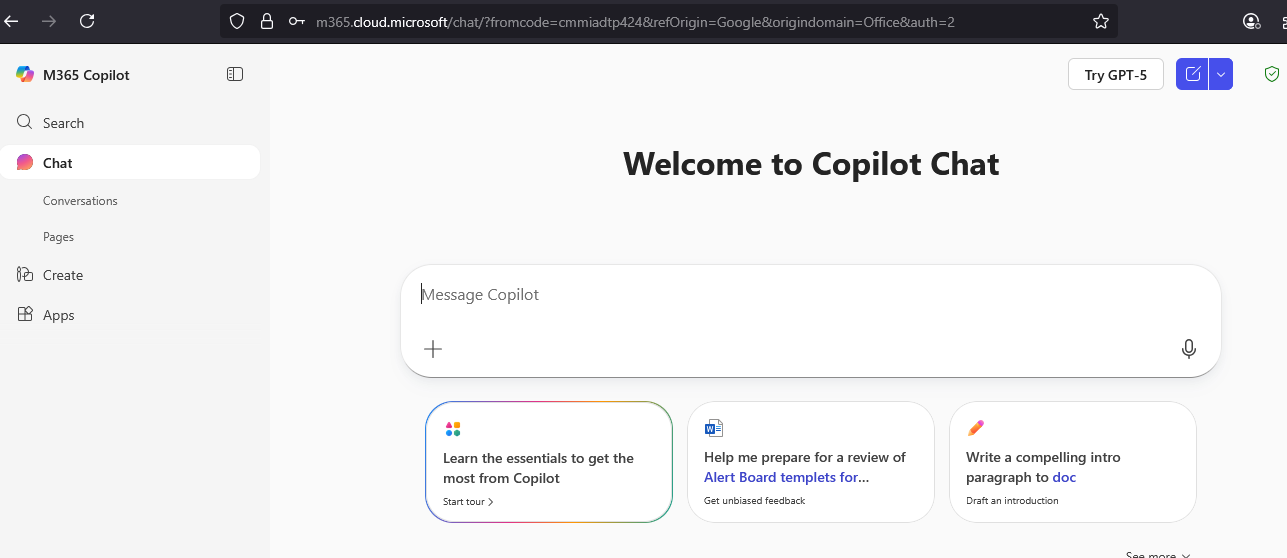
Go to the Microsoft 365 Portal
-
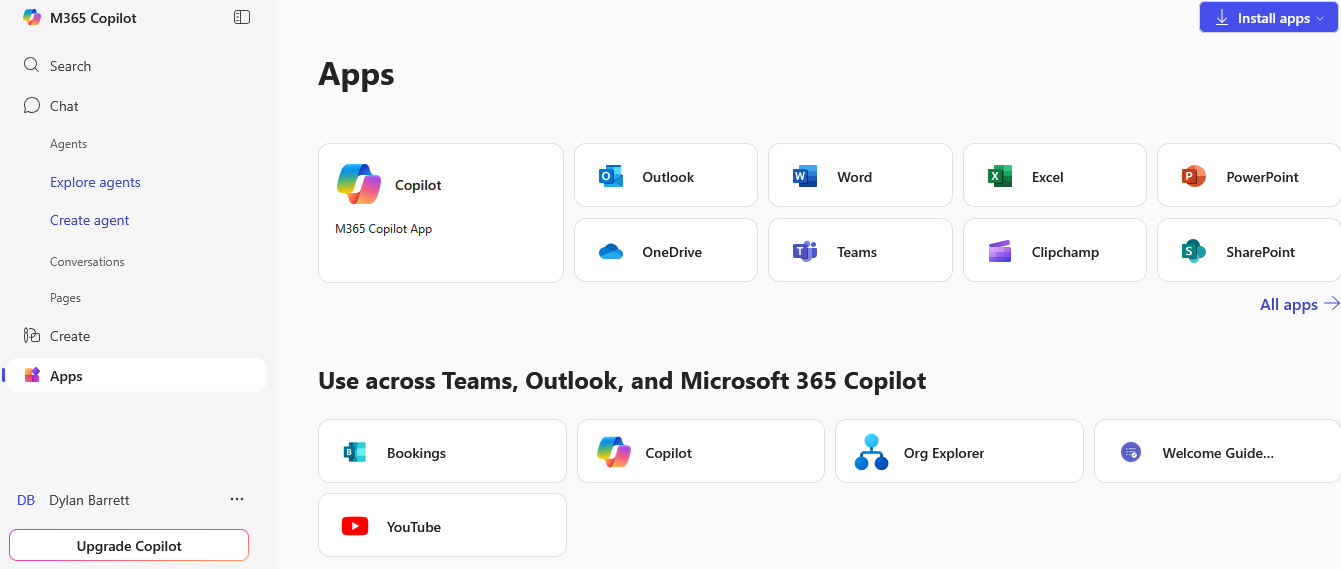
Click on Apps
-
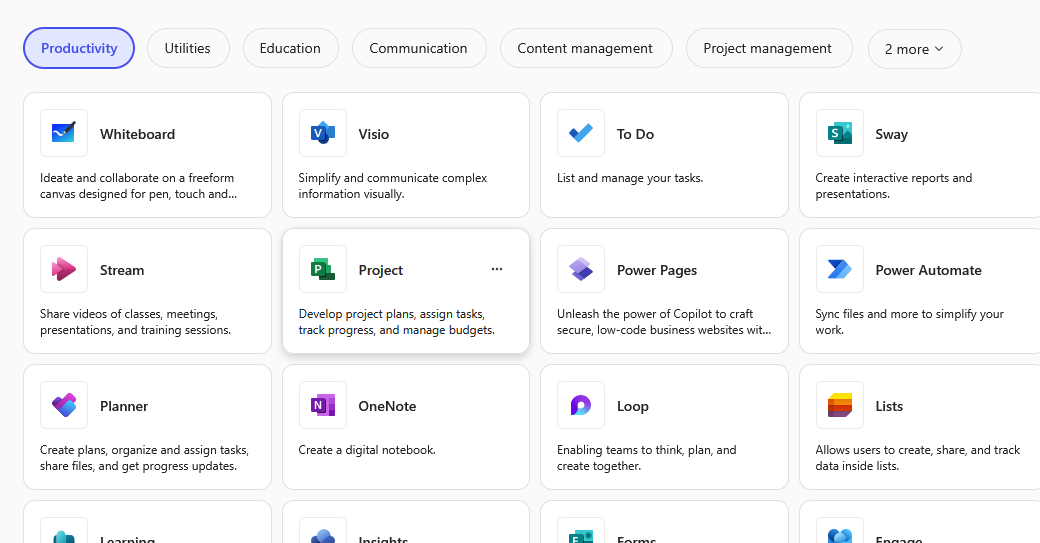
Scroll down to the Productivity section. Locate Power Automate.
-
Click on Power Automate to open it.
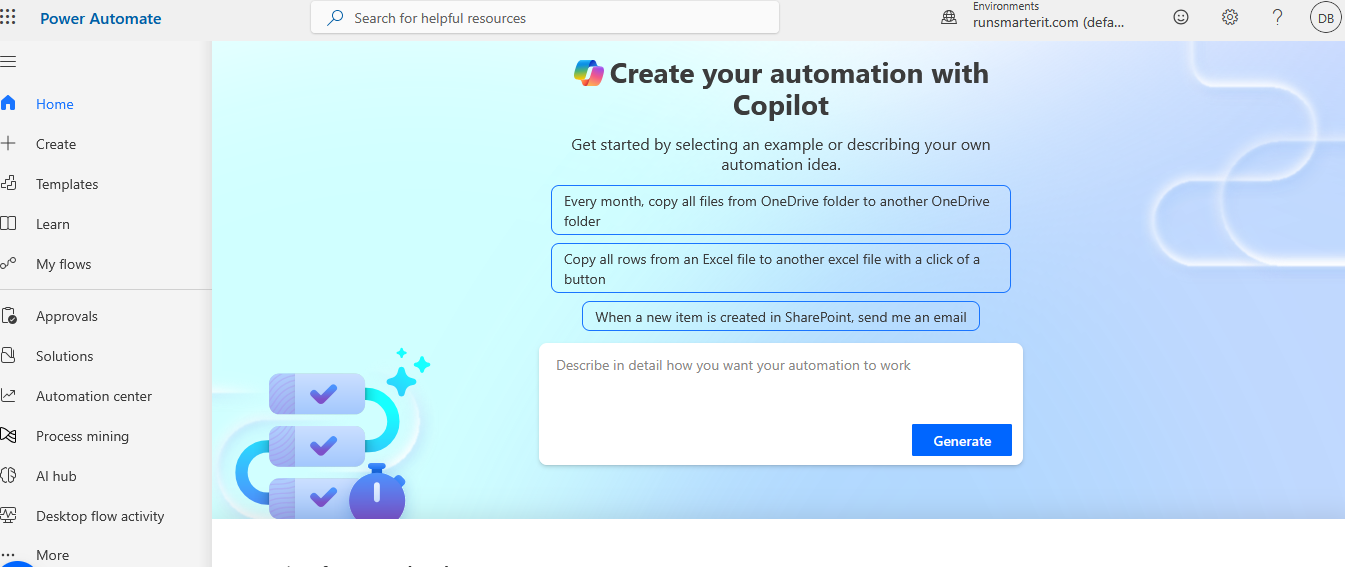
✅ You have now successfully accessed Power Automate!
Troubleshooting
| Issue | Possible Cause | Solution |
|---|---|---|
| ❌ Power Automate not visible in the portal | User does not have the appropriate license | Check with your IT admin to confirm license assignment. |
| 🔒 Access denied or redirected to upgrade | Attempting to use premium features (e.g., Dataverse, premium connectors) | A premium Power Automate license or add-on is required. |
| 🔁 Loop or login issues | Cached session or browser issue | Try signing out, clearing cookies, or using a private/incognito window. |
| 🧾 MFA required unexpectedly | Organization policy update | Contact IT support or check your MFA settings at My Sign-Ins. |
Power Automate Licensing Overview
| Feature/Capability | Business Standard | Microsoft 365 E3/E5 | Power Automate Premium |
|---|---|---|---|
| Access to Power Automate portal | ✅ Yes | ✅ Yes | ✅ Yes |
| Create and run flows | ✅ Standard only | ✅ Standard only | ✅ Full access |
| Standard connectors (e.g. Outlook, SharePoint) | ✅ Yes | ✅ Yes | ✅ Yes |
| Premium connectors (e.g. Dataverse, HTTP) | ❌ No | ❌ No | ✅ Yes |
| Desktop flows (RPA) | ❌ No | ❌ No | ✅ Yes |
| AI Builder | ❌ No | ❌ No | ✅ With add-on |
📄 Learn more: Power Automate Licensing Overview (Microsoft Docs)