Practical procedure and troubleshooting notes for Creating and Adding New Users to Active Directory.
Prerequisites
Before creating a new Active Directory user, ensure you have:
- Access to the domain controller or a management workstation with the RSAT tools installed.
- Proper administrative privileges to create new users.
- Your company’s naming convention and password policy.
- Knowledge of which Organizational Unit (OU) or security groups the user should belong to.
Steps to Create a New User
-
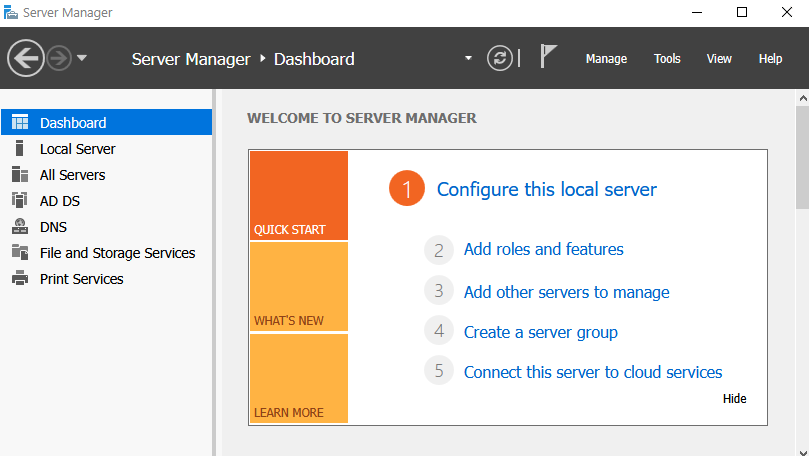
In Server Manager, click Tools in the top-right corner to view the drop-down menu.
-
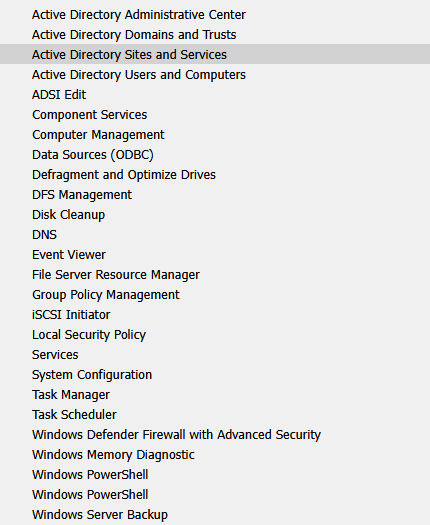
From the drop-down, select Active Directory Users and Computers.
-
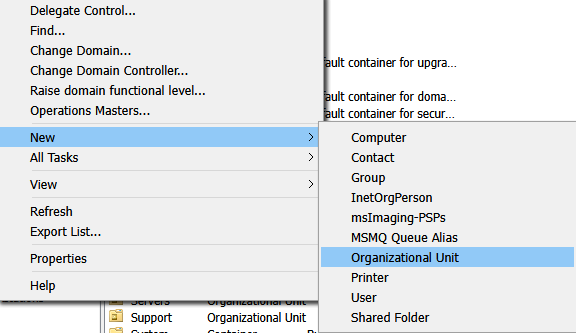
In the ADUC console, right-click the domain (or the desired Organizational Unit), select New, and then click User.
-
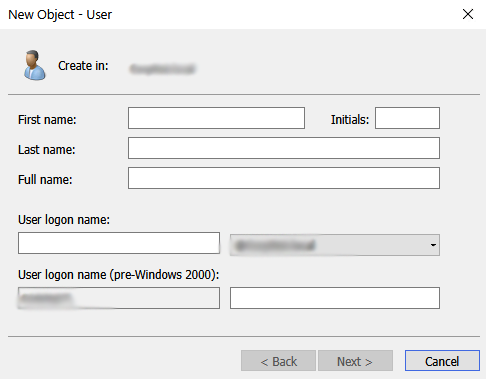
The New Object – User window will appear.
-
Fill in the required information, following your company’s naming convention for new users. Click Next.
-
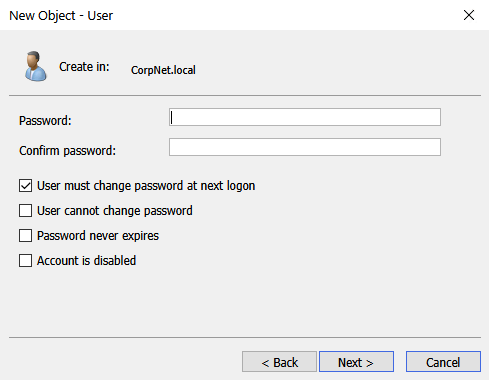
You will be prompted to set a password for the user.
- Best practice: follow company password standards.
- Ensure User must change password at next logon is checked.
-
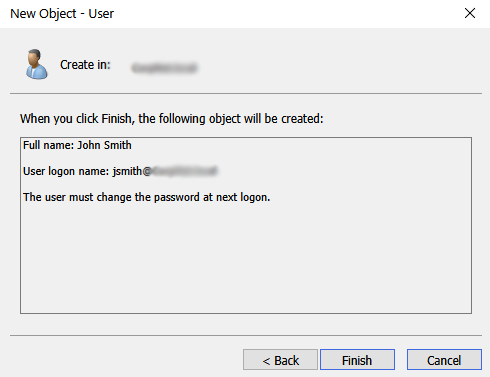
Review the user details and click Finish.
-
After creation, verify that the user has been placed in the correct Organizational Unit (OU) and assigned to the appropriate security groups.
✅ That’s it — the new user account is now ready for use within Active Directory.